
How you opt in to Padlocket texts
Last updated November 22, 2026
1. On the sign-up form
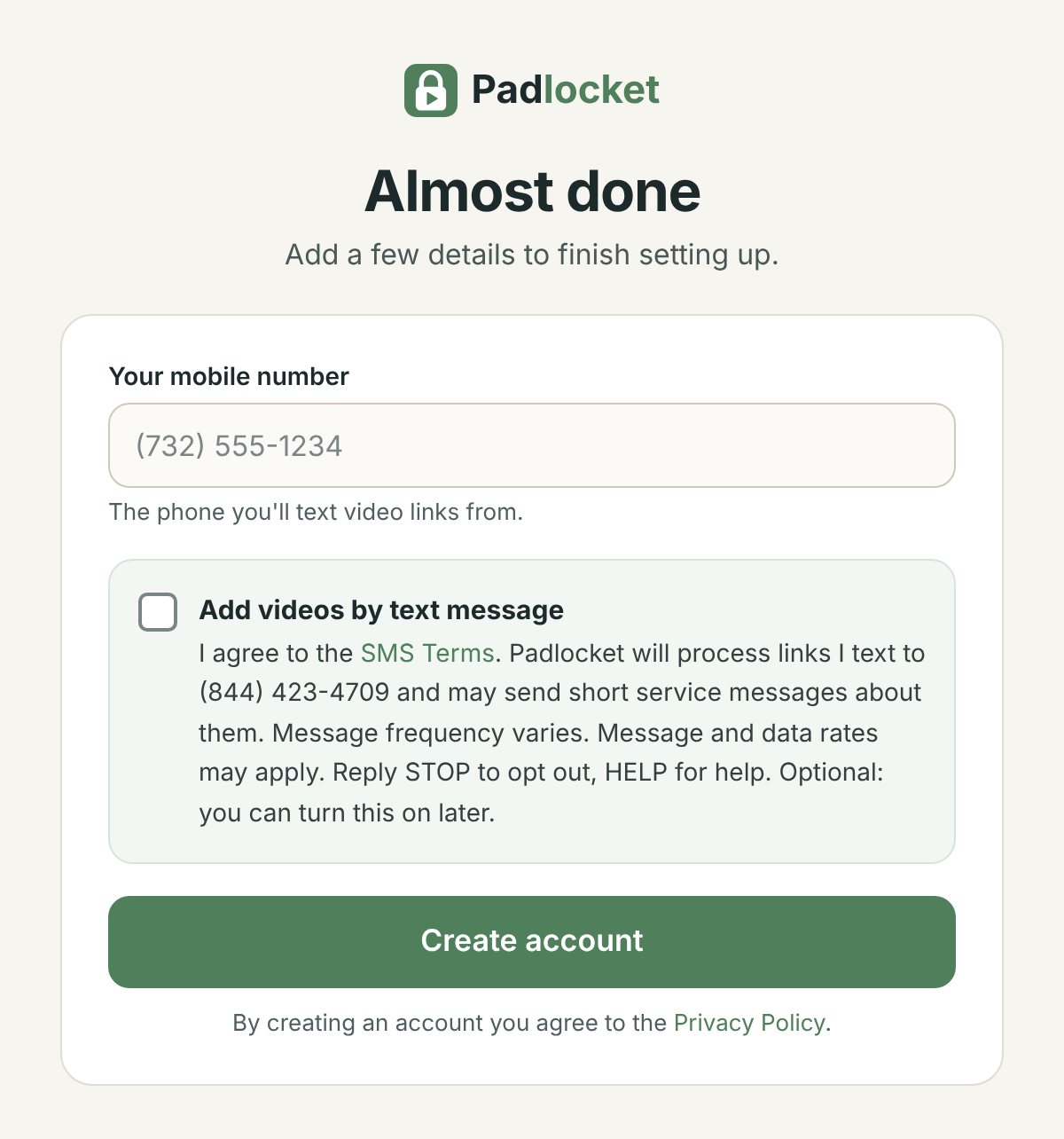
Parents create a Padlocket account at app.padlocket.com/signup. After signing in with Google, they enter their mobile number and can check the box below, which is not checked by default. Texting is optional: an account works without it.
2. Adding another phone (by text)
A family can let another phone add videos, for example the other parent or a grandparent. In the dashboard, the parent gets a one-time code that expires after 30 minutes. That phone's owner opts in by texting JOIN and the code (for example "JOIN 123456") to (844) 423-4709. The dashboard tells them that texting JOIN means they agree to the SMS Terms.
What we send
Only short service replies about the links a parent texts, such as "Padlocket: Added "Ocean animals" for 2 children." No marketing. Texts from numbers that have not opted in are ignored. Reply STOP at any time to stop all messages, or HELP for help.
See the SMS Terms and Privacy Policy. Questions: [email protected]